
Roofing software

Inspect, sell, build and collect, without the clipboard.

Cortex runs roofing jobs from the inspection photos to shingle options signed at the door, crew scheduling and the final payment. For insurance work, it lines your estimate up against the carrier's, line by line.

A roofer in a hard hat and safety vest laying clay tiles on a pitched roof.
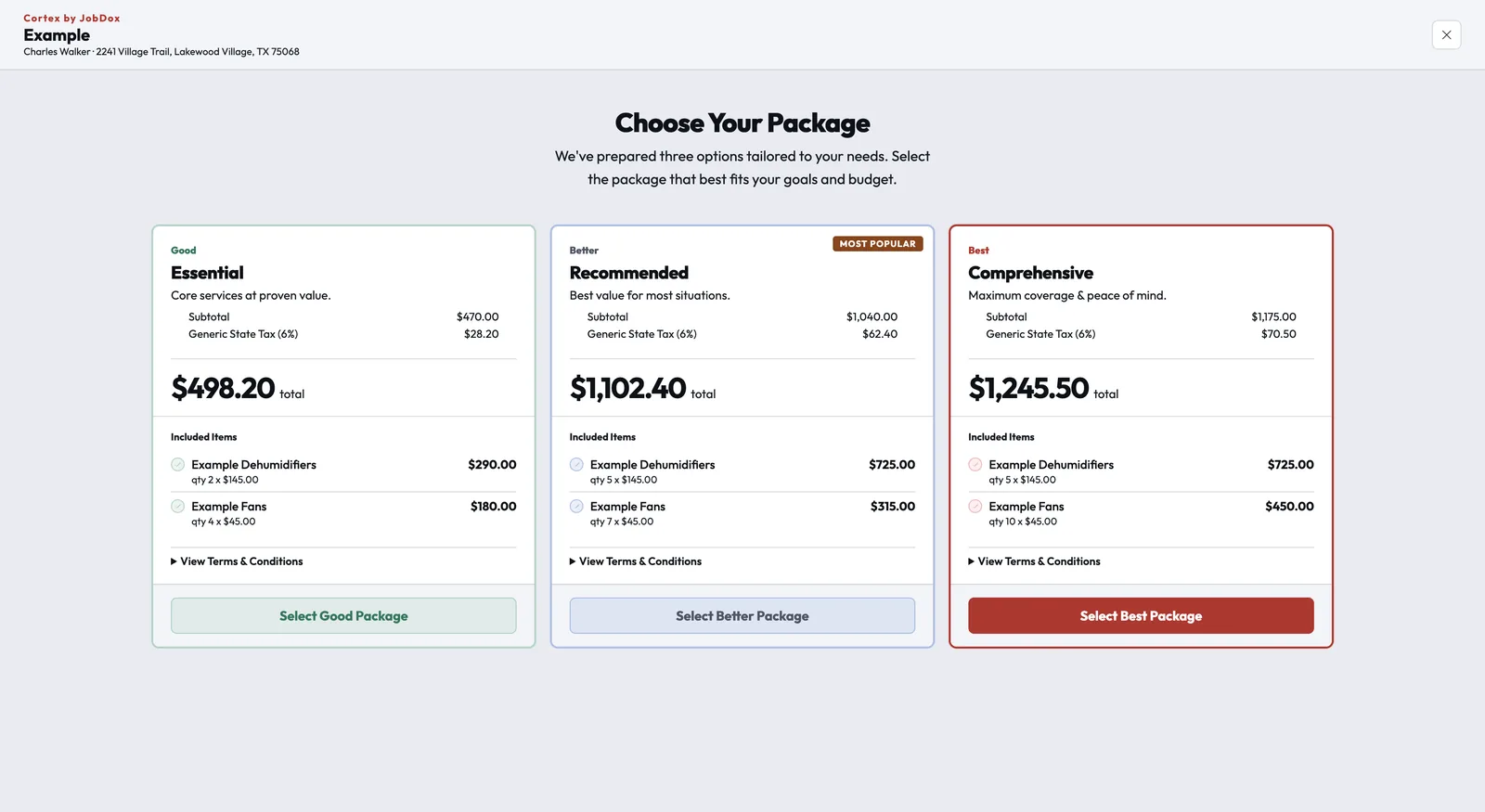
A Cortex Estimate shown to the customer as three packages, Good, Better and Best, each with its included items, total and a select button.
How it works

Every stage of a roofing job, on one record.

Retail and insurance roofs run on the same job record, from the first inspection photo to the review request.

Step 1 of 6

Lead and inspection

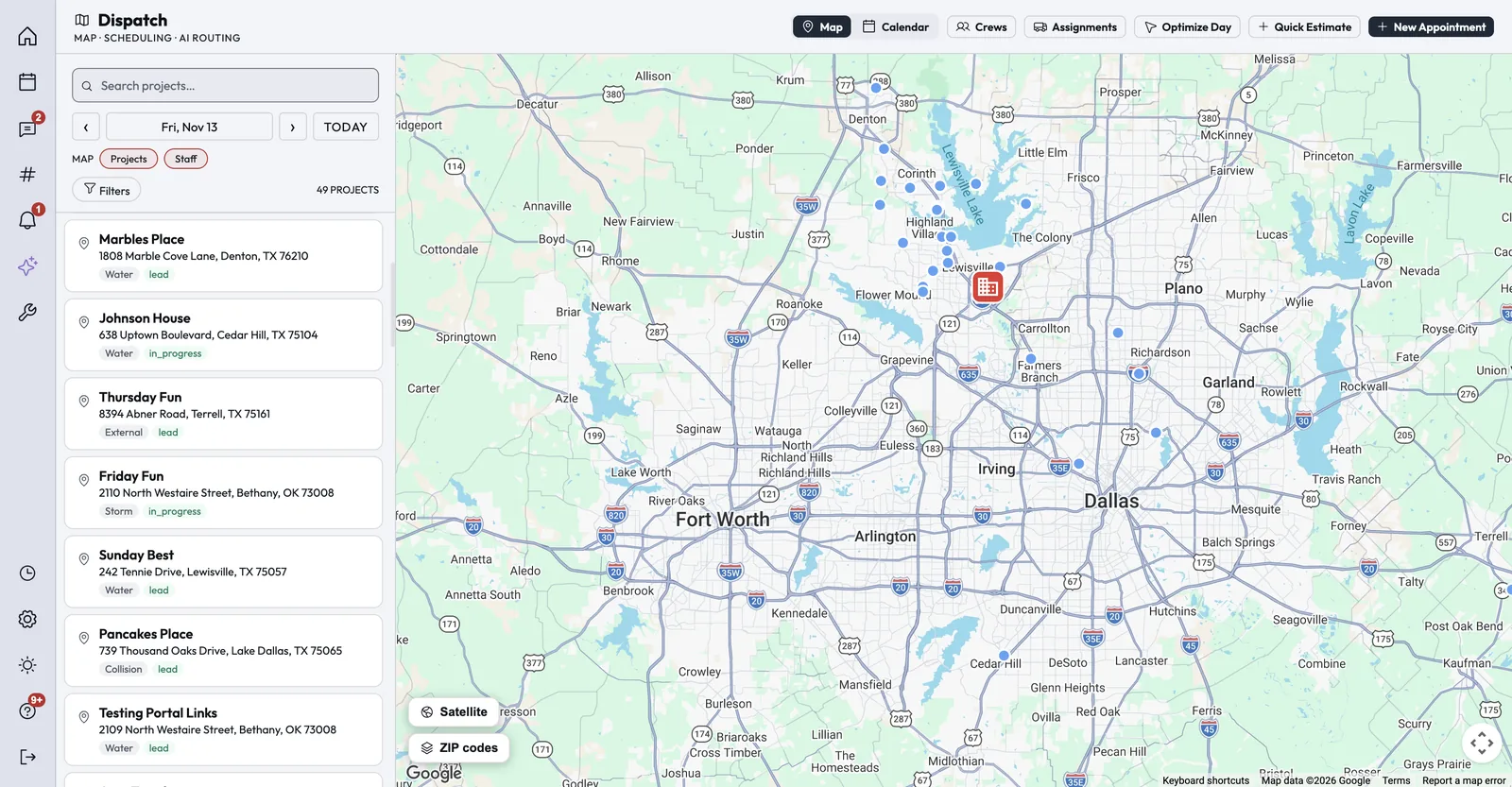
Leads arrive from your phone line, website form or online booking, and the inspection goes on the Dispatch board. Photos taken on the roof file straight to the job.

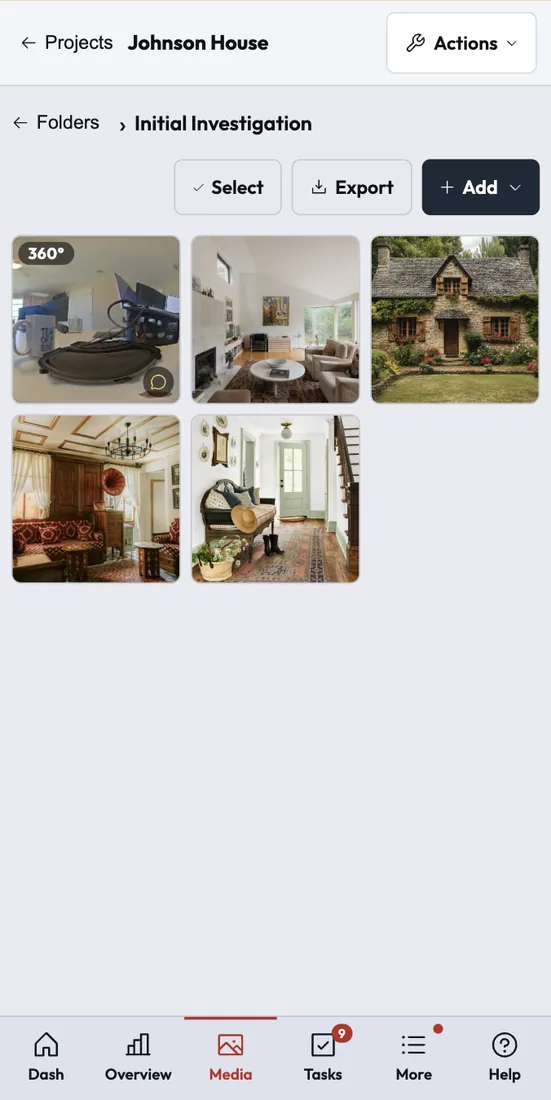
  • Photos and albums on every job
  • Visit Checklists prompt the inspector on arrival, with photo and signature items
  • Current and historical weather on the job

Tools: Dispatch, Phone app, Visit Checklists

A job's photo folder on a phone, with a grid of photos including a 360 degree capture.
Customer photo
"With the JobDox Team, I'm able to update my clients constantly. In one place, I can keep tabs on everything from finances to constant updates to images to projects to staff time-sheets."
Musliah A.
Administrative Assistant

Read All Reviews on Capterra

Beyond the daily work

What else matters in roofing.

The people around the job matter as much as the job itself. These are the two that come up most in roofing.

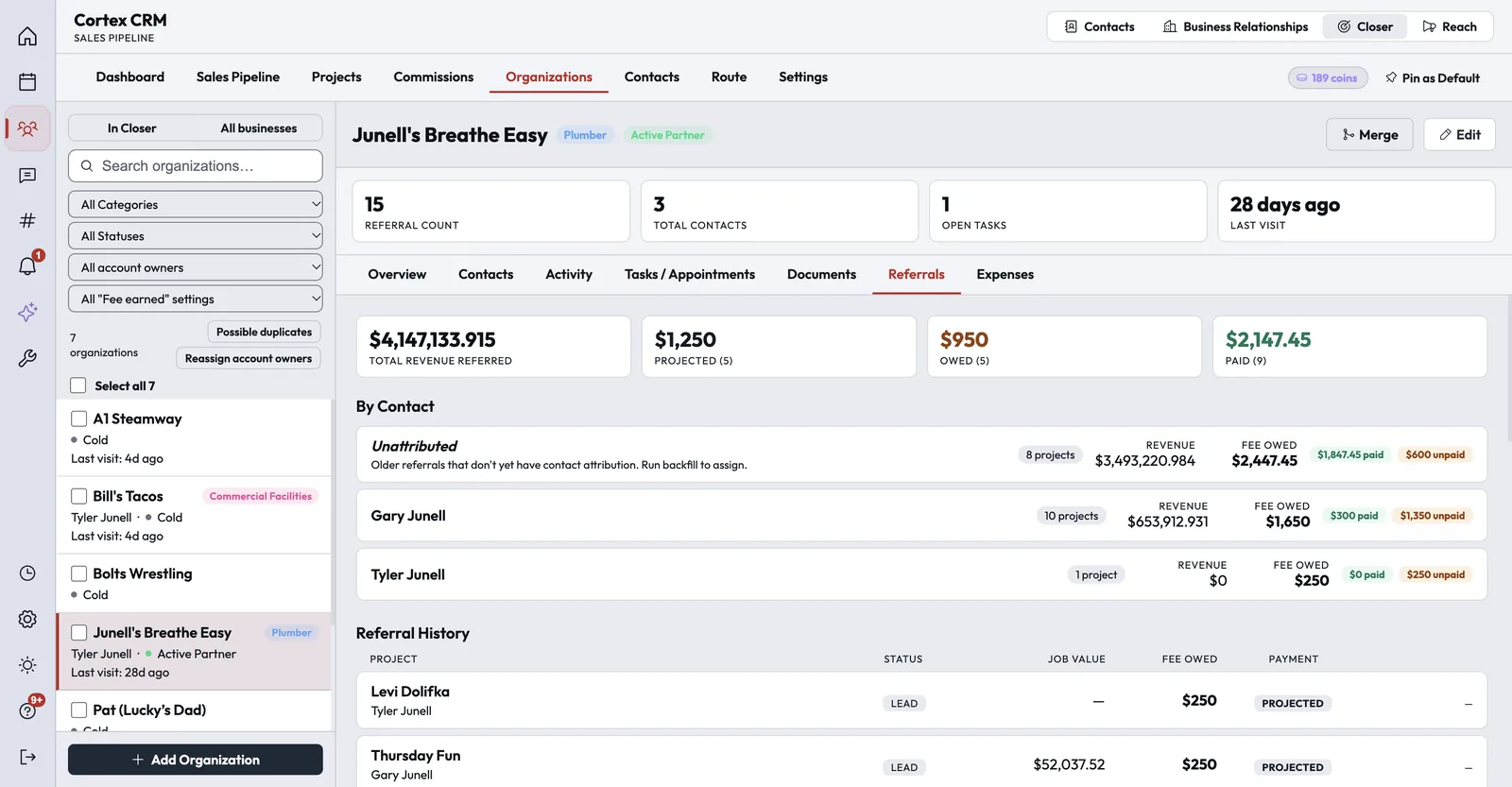
A referral partner in Cortex Closer, with referral count, revenue referred, and referral fees projected, owed and paid, broken down by contact and project.
Sales reps and referrals

Keep your reps and referral partners on one board.

Cortex Closer tracks referral relationships and the referral fees owed to each partner, keeps deals in their own pipelines and converts won deals to jobs. It plans each rep's daily visit route with drive times and calendar sync, and AI can tidy dictated visit notes and draft the follow-up.

Commission plans pay on contract, collected, margin, flat or tiered amounts, with an earned, approved and paid worklist.

The homeowner experience screenshot
The homeowner experience

Homeowners know who is coming and where the job stands.

Before the crew arrives, the homeowner gets a text with the technician's name, photo, experience and bio. The Customer Portal shows the schedule, documents, photos and updates, and takes payment.

Optional scheduled, rescheduled and cancelled notices keep customers informed when the company turns them on.

Integrations

Connects to the tools roofing teams use.

These connections are live today. Anything else can connect through Zapier or the Cortex API.

XactimateImport estimate PDFs and compare them with the carrier's
SymbilityImport estimate PDFs and compare them with the carrier's
QuickBooks OnlinePer-office sync of customers, invoices, payments, bills and time
QuickBooks PaymentsCard processing through your own QuickBooks account
Authorize.netCard payments, pay-by-link and refunds
Acorn FinanceAn Apply for Financing link on estimates and the pay page
Google and Outlook calendarsTwo-way sync of each person's appointments
RoutificRoute ordering for Optimize Day in Dispatch
OpenWeatherCurrent and historical weather on jobs
Zapier and the Cortex APIA REST API and signed webhooks to connect other apps
FAQ

Questions roofing teams ask.

Something else on your mind? Contact Us

Run your next roofing job on Cortex.

Try Cortex free for 14 days with no card, or talk with us about how your jobs run today.