
Restoration and insurance work
Cortex by JobDox runs your projects, crews, schedules, billing and documents in one place. AI-native, built for the trades, not bolted on.
Trusted by service companies across the country
Restoration crews, home service techs and multi-office operators run very different days. Cortex fits each of them with the same record underneath.
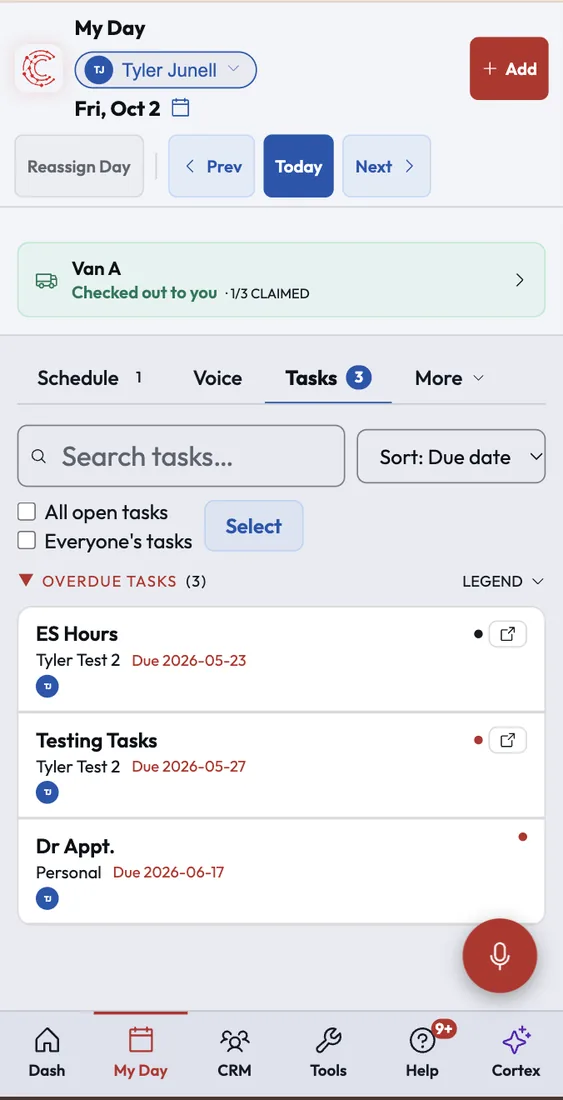
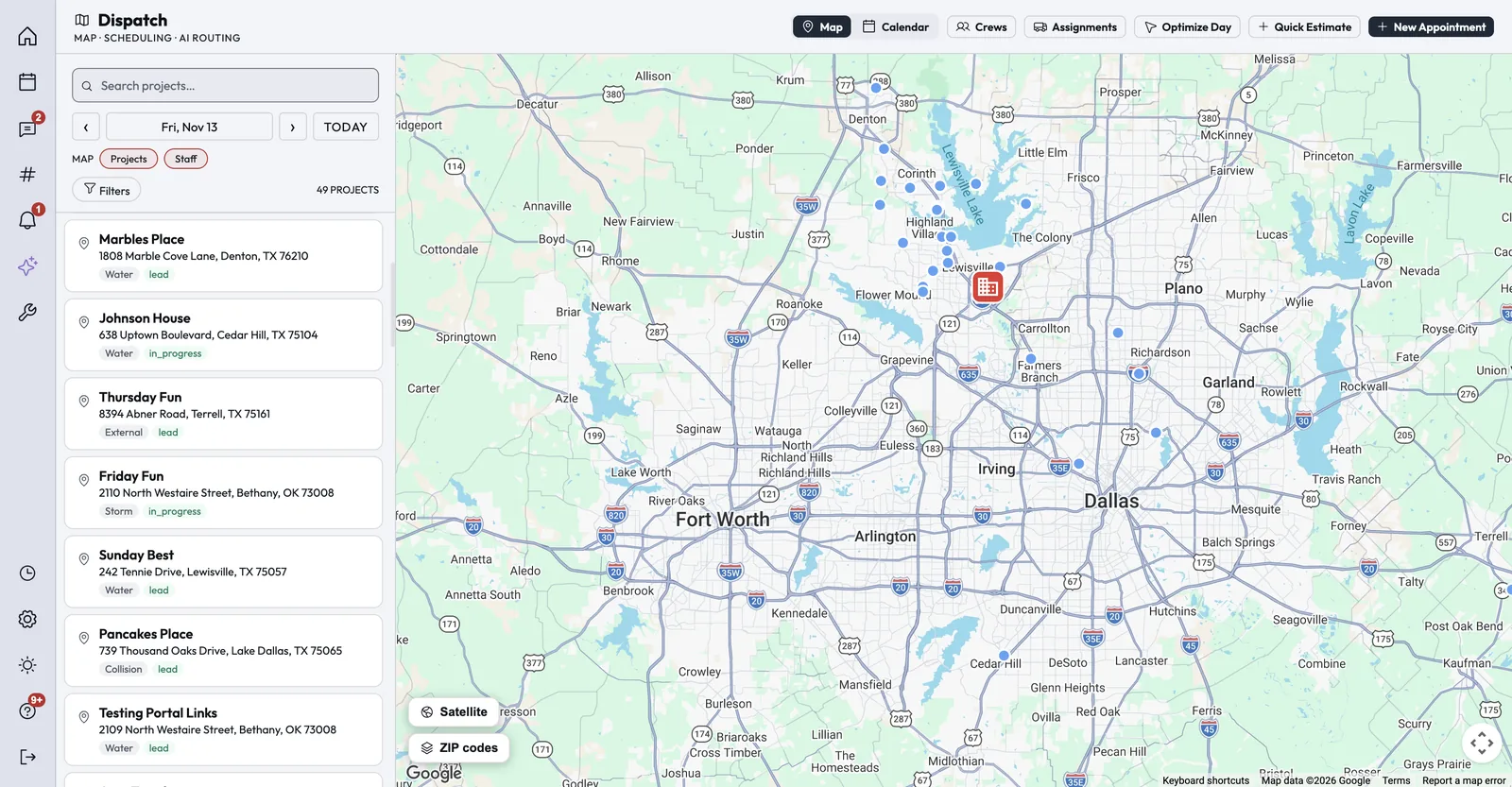
MyDay puts each person's schedule, tasks, team chat, inbox and timecard on one screen. Dispatch lays the crews out on a map by day, week or crew, and Optimize Day orders the stops by drive route.
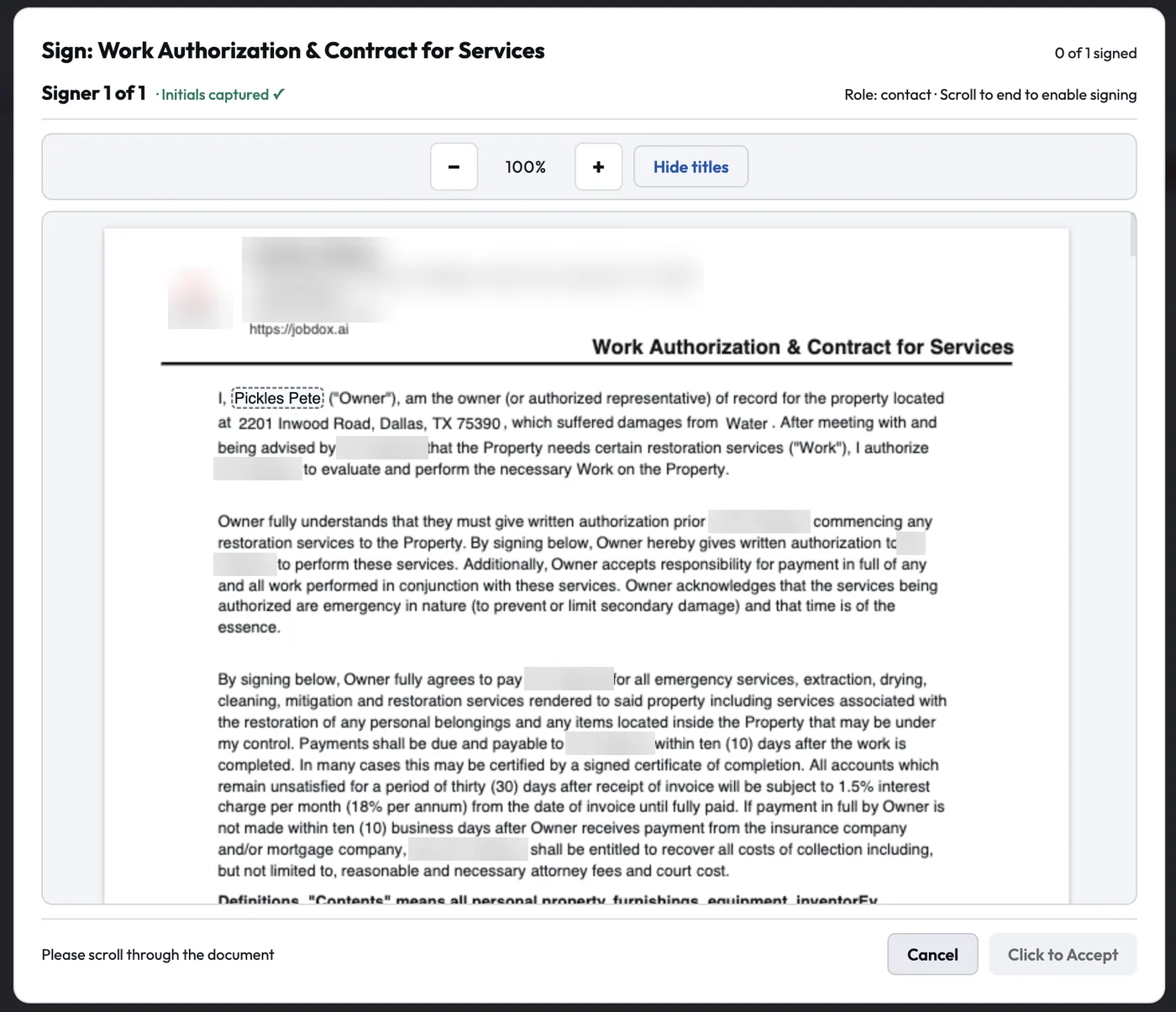
Photos, notes, shift reports and signed documents land on the job they belong to. Work authorizations can be signed on site, even offline, and every clock tap carries a GPS stamp.
Build the billable scope room by room from your price list and send a branded invoice. Customers pay by card from a link or the customer portal, and receipts snapped in the field fill in their own expense fields.
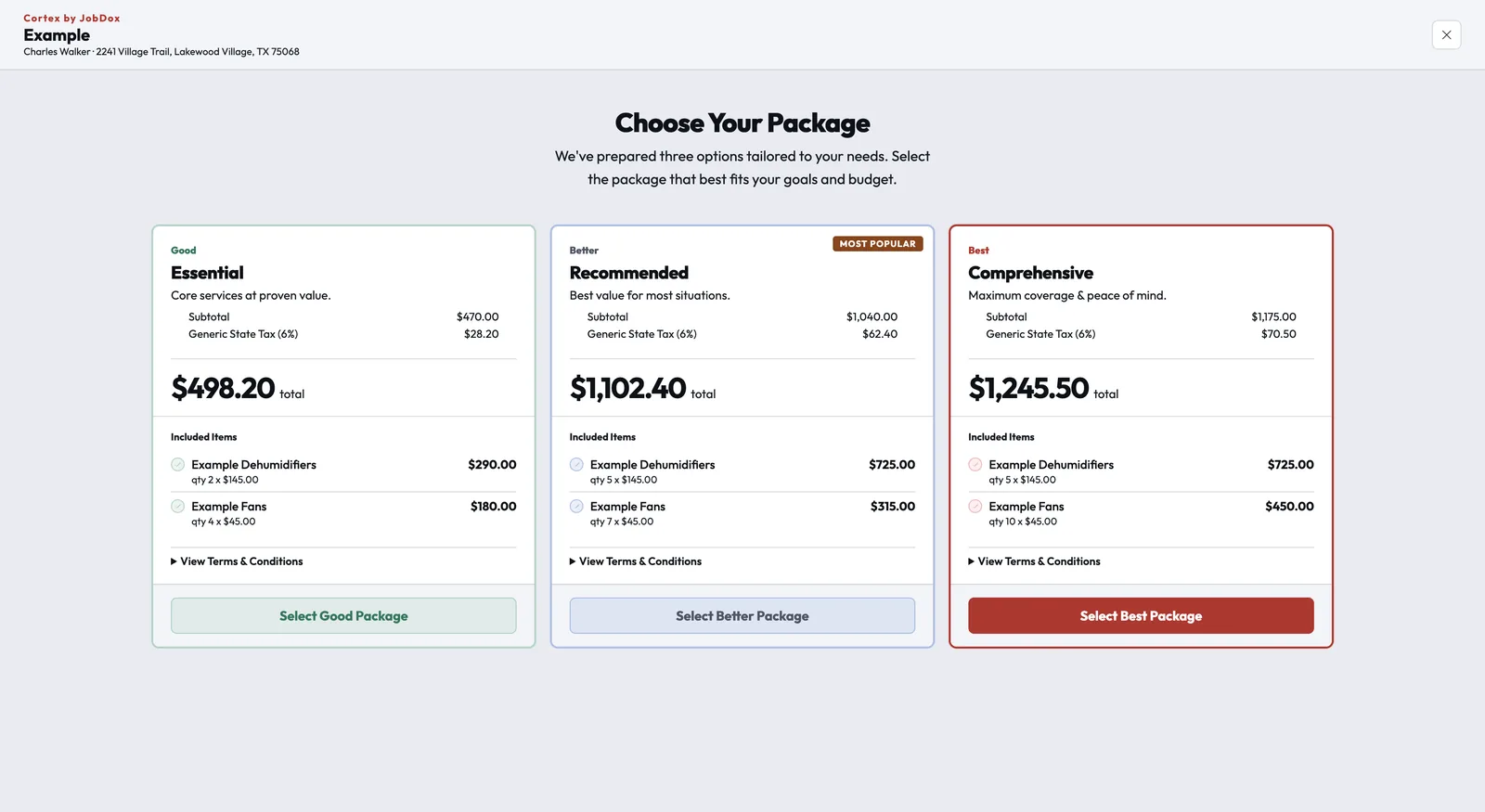
Present Good, Better, Best options and let the customer sign on the tablet. Your website form and online booking create the lead with its tasks already in place, and a review request can go out from any job.
Reports cover revenue, work in progress, money owed and staff activity, with AI Insights one click away. Pulse in MyDay writes managers a short summary of what the team did today or this week.
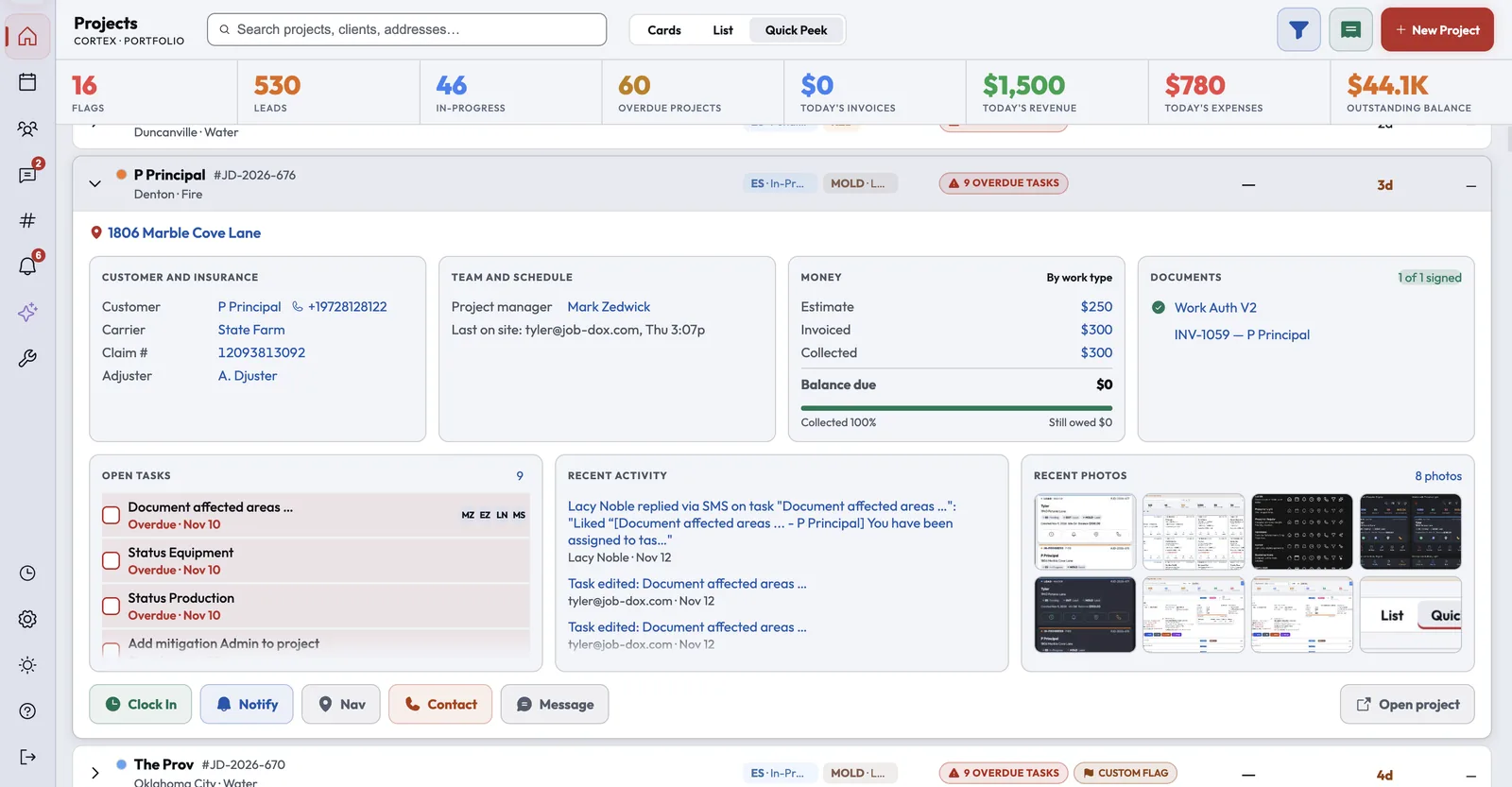
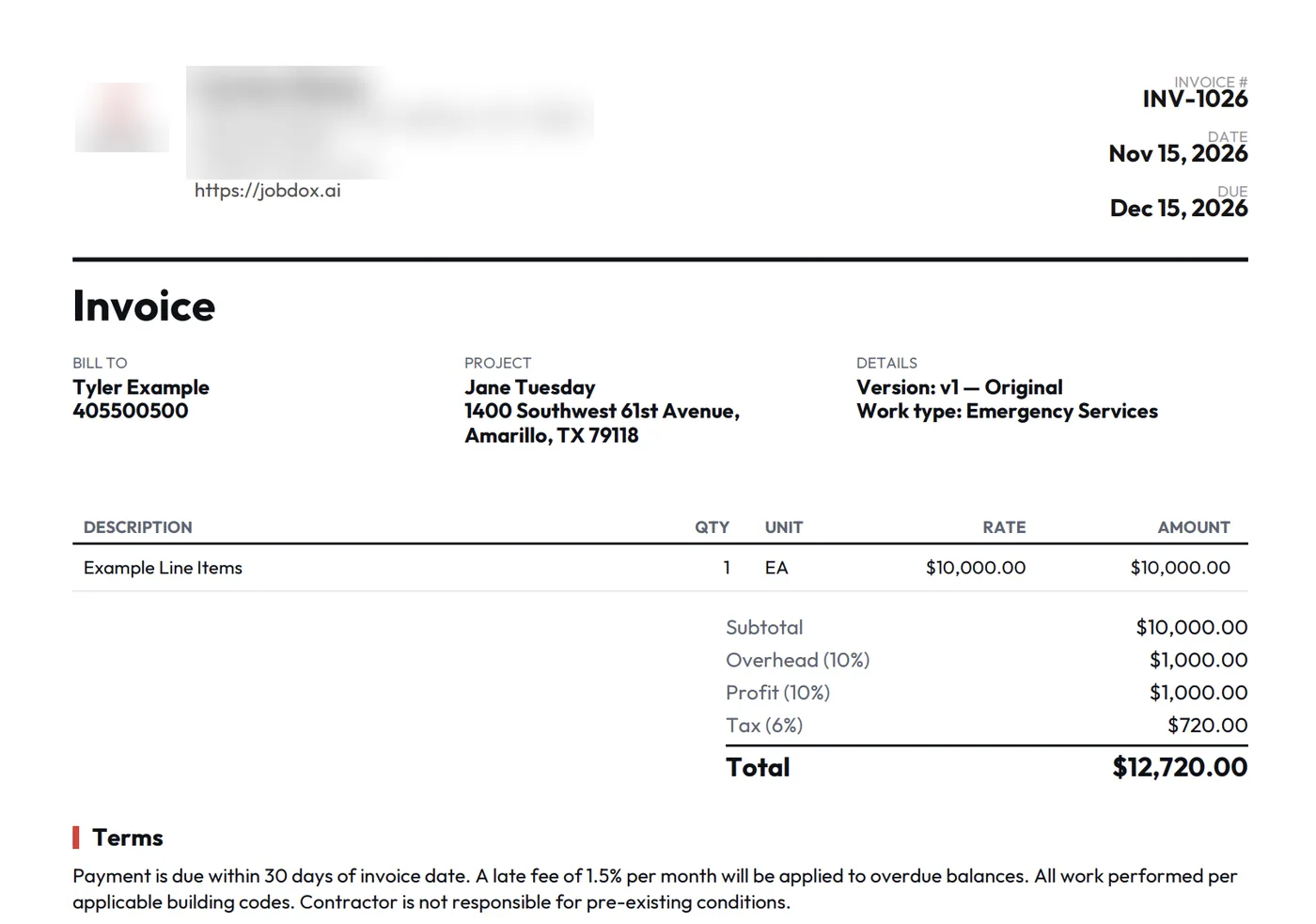

Sales, the field, the office and the owner work from the same jobs, the same contacts and the same numbers, so nothing gets typed in twice.
A marketing hub for neighborhood job pages, local rankings, reviews and social posts.
Referral relationships, the referral fees owed to each partner, and rep visit routes for the people who sell your work.
Good, Better, Best options signed on a tablet at the kitchen table, or classic room-by-room estimates.
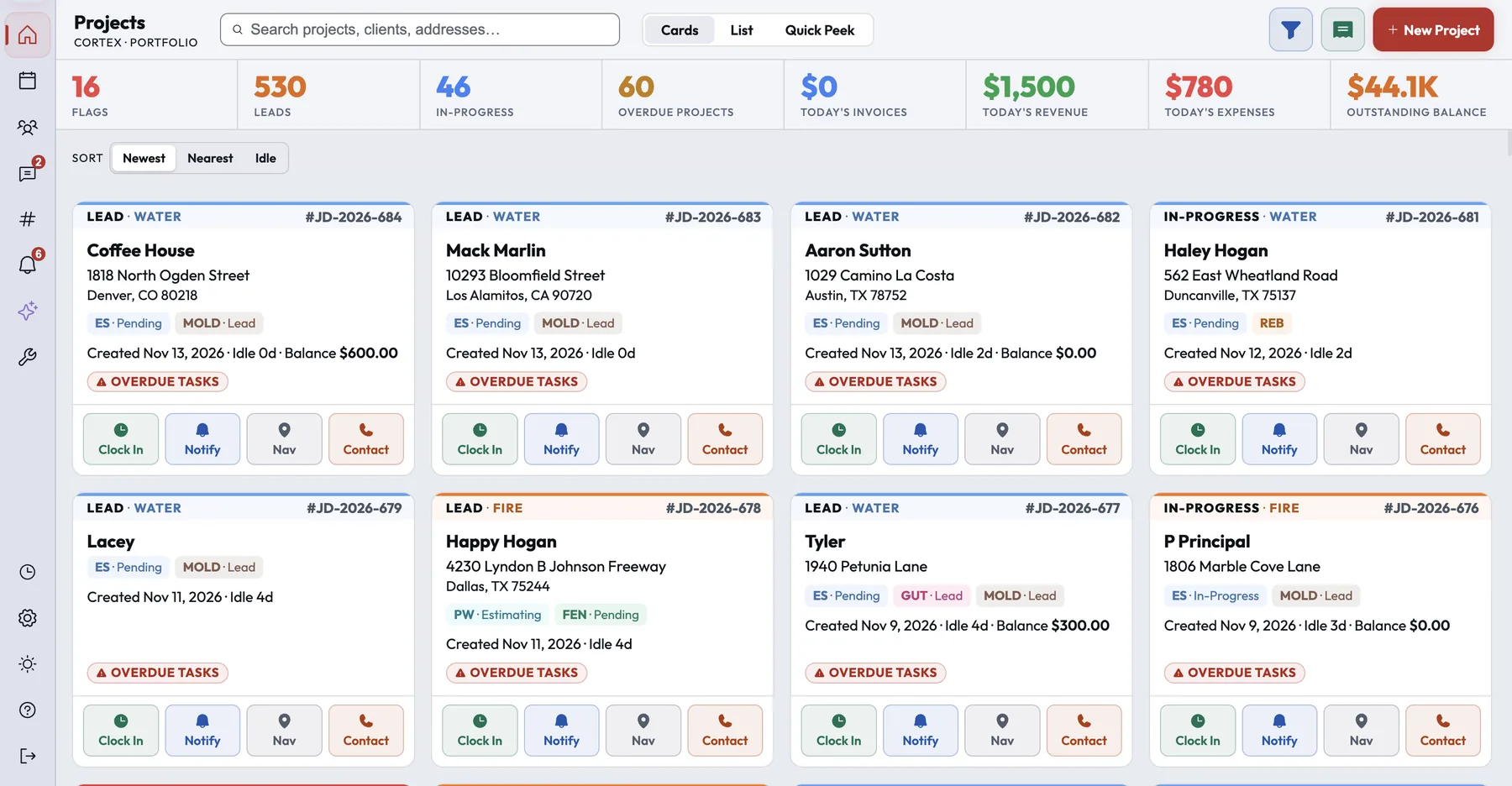
Every job on one board, and one screen for what each person is doing today.
Map-based scheduling by day, week or crew, with stops ordered by drive route.
Drying logs, moisture readings and S500 equipment sizing, plus the contents inventory and schedule of loss.
Stock levels of supplies like antimicrobial spray, so you know when it is time to reorder.
Branded invoices built from the job's scope, and card payments by link or in the customer portal.
Job costing, payables, purchase orders and commissions on one money dashboard.
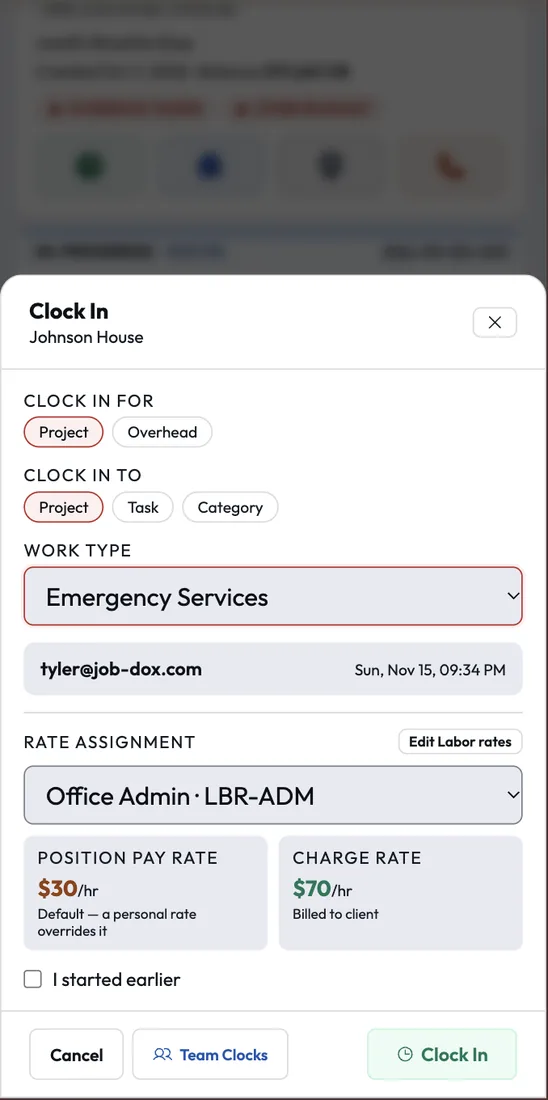
A GPS-stamped time clock by job, overtime rules and a payroll export.
Describe how you run a type of job and CortexAI builds the workflow: tasks, roles and due dates.
Ask about your jobs, crews and money in plain English, and confirm the actions it proposes.
The owner's dashboard: revenue, profit, collections and goals, with plain-English questions.
CortexAI works inside the jobs, calls and documents you already keep in Cortex. It answers in plain English, writes the summaries nobody has time for, and asks before it changes anything.
Ask about your jobs, crews and money in plain English. When it suggests an action, like adding a note, creating a task or fixing a timecard, a person confirms it first.
Describe how your company runs a type of job and it builds the phases, tasks, roles, due dates and triggers for you.
A short written summary for managers of what the team did today or this week: shifts, status changes, documents, invoices and jobs that have gone quiet.
Turn it on and recorded calls are transcribed and graded against your own weighted scorecard, and promises made on the call become tasks and appointments.
AI features use Cortex Coins, which every plan includes. See Pricing for how many.

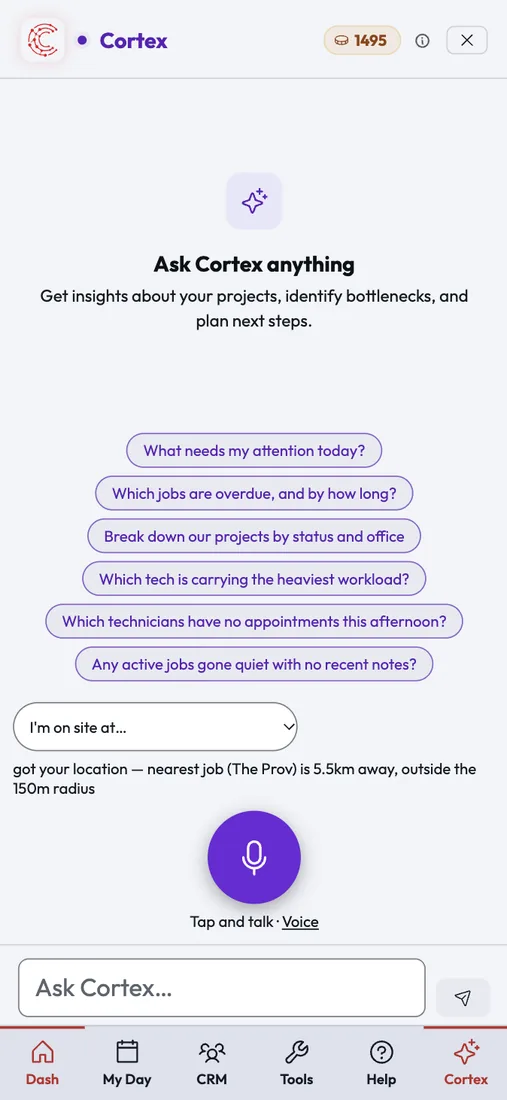
At setup you pick your trade and the services you offer. Cortex creates the work types and a starter price list for them, and every status, field and workflow can be changed after that.
Cortex started in restoration and still runs inside a working restoration company every day. Drying logs, signed work authorizations and carrier estimates sit on the same job as the crew and the money.
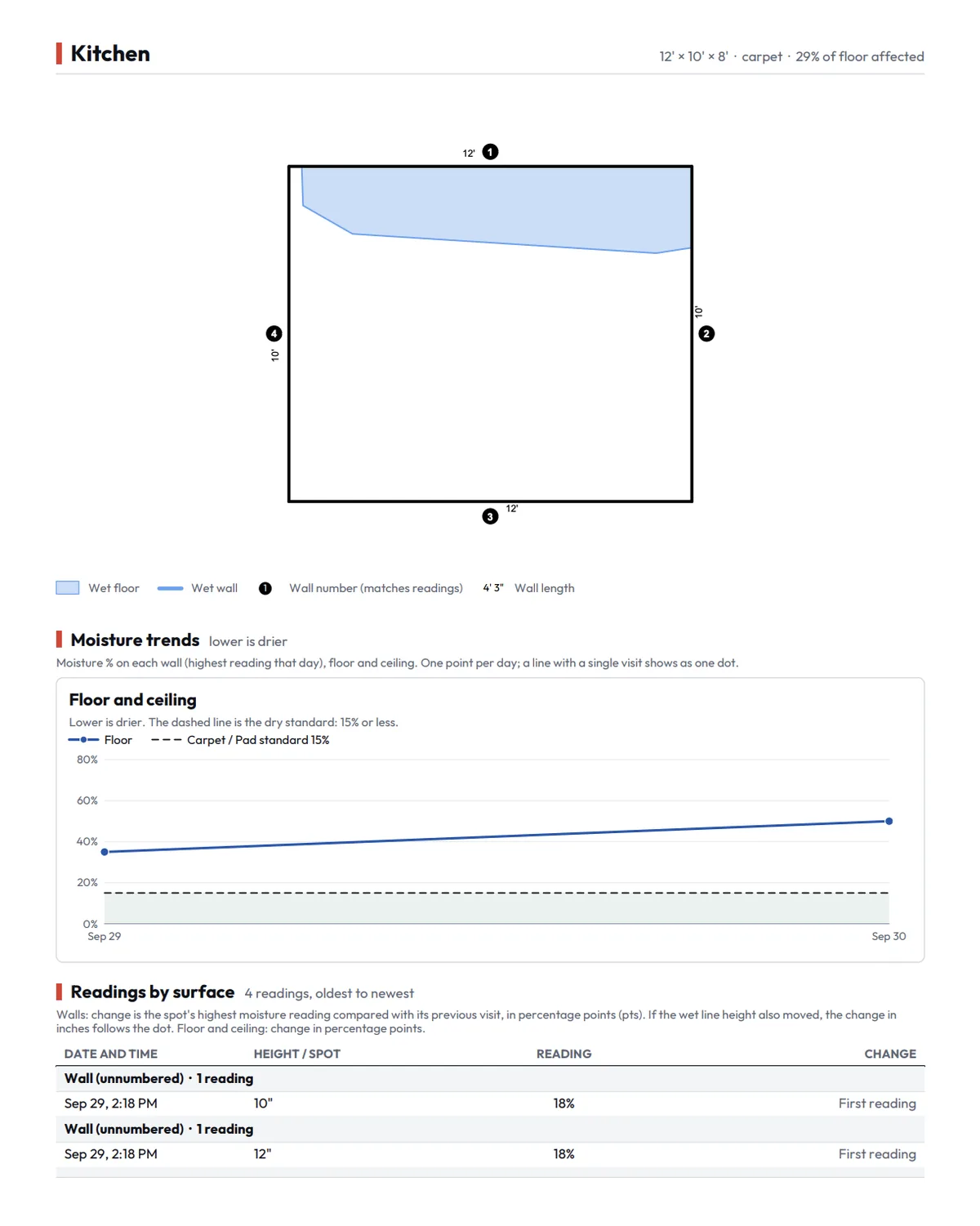
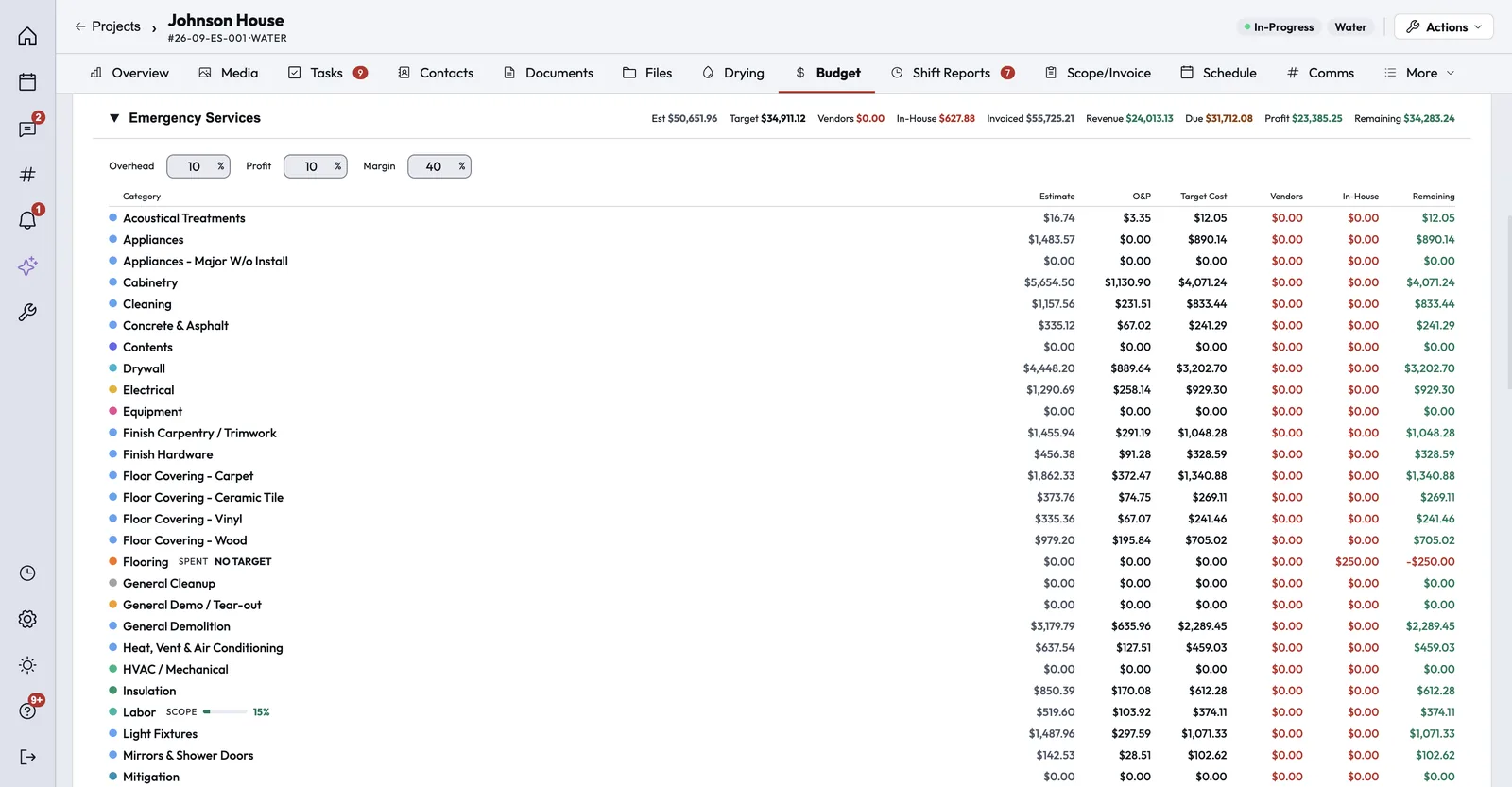
Job costing shows committed costs from purchase orders next to invoices and margin. Work orders go to subs, purchase orders go to suppliers, and change orders are priced mid-job.
Present shingle tiers side by side and let the homeowner sign on the spot. For insurance claims, compare your Xactimate or Symbility estimate with the carrier's, line by line.
Show the options side by side on a tablet and get the signature before you leave. Homeowners book from your website, get a text with the tech's photo and bio before arrival, and pay by card on site.
After-hours routing and call groups get the emergency to the right person, and Dispatch orders the day's stops by drive time. Present water heater options on site and collect by card when the job is done.
Present panel upgrade options and get them signed on site. Safety and inspection checklists, contracts and GPS-stamped crew hours stay on the job they belong to.
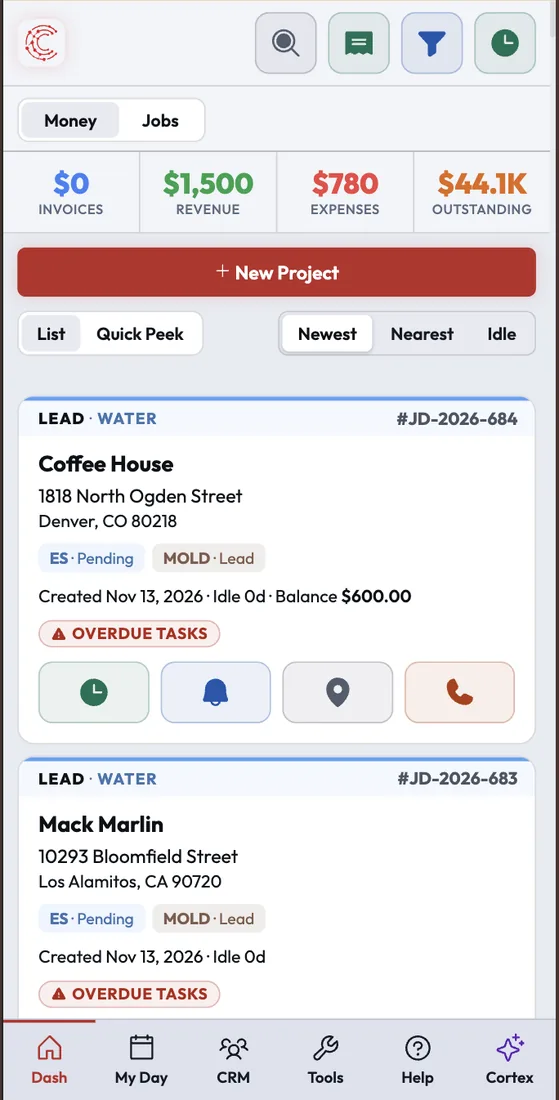
The phone app runs the same Cortex as the office, with push notifications, biometric login and photo uploads that finish in the background. When your phone shows you are at the job, Cortex offers to clock you in.
Three reviews contractors left on Capterra, where Cortex by JobDox is rated 4.5.
"The JobDox Team allows me to keep my customers informed daily. It also allows me to track budgets, daily updates, photos, daily tasks, and employee time — all from one portal."

"Communication and data tool for all customers, insurance agents, employees. Gives visibility into your financials at any time from anywhere. Auto tasks, meetings, drying module — all a plus."

"With the JobDox Team, I'm able to update my clients constantly. In one place, I can keep tabs on everything from finances to constant updates to images to projects to staff time-sheets."

Two calculators, every assumption on the page, and the arithmetic written out under each figure. Move the inputs and check it yourself.
15 minutes saved per employee per day at $35/hr average wage.
Applies a published assumption of 21% more profit, from more accurate billing, to the profit you enter.
Efficiency savings + billing profit boost working together.
These are the published assumptions the calculators use. They are estimates for planning, not a promise of results.
The monthly figure uses about 21.7 working days and the annual figure uses 260, so twelve monthly figures come to slightly more than the annual one.
For a contracting business, running on disconnected tools costs money in four places. The calculators cover two of them.
Our estimate of all four together, for a business of about ten people turning over about $1M a year, is about $127K a year. We publish the arithmetic only for items 01 and 03 ($54,250 at the default inputs) because that is the part we can show line by line.
Each row uses the calculators' formulas with a 15% profit margin. The highlighted row is the default.
| Team | Revenue | Hours back | Savings | Current profit | +21% profit | Total |
|---|---|---|---|---|---|---|
| 5 employees | $450,000 | 325 hrs | $11,375 | $67,500 | $14,175 | $25,550 |
| 10 employees | $1,000,000 | 650 hrs | $22,750 | $150,000 | $31,500 | $54,250 |
| 20 employees | $2,000,000 | 1,300 hrs | $45,500 | $300,000 | $63,000 | $108,500 |
| 35 employees | $3,500,000 | 2,275 hrs | $79,625 | $525,000 | $110,250 | $189,875 |
| 50 employees | $5,000,000 | 3,250 hrs | $113,750 | $750,000 | $157,500 | $271,250 |
Cortex Coins power every AI feature, from CortexAI workflow generation to Cortex Copilot. Every plan includes Coins each 4-week cycle: 750 on Essential, 2,250 on Team and 3,000 on Scale, and your 14-day free trial includes 200 Coins to explore the AI capabilities. Need more? Double your Coins for $99 or go Unlimited for $199, every 4 weeks.
Your 14-day trial is free and requires no card. It does not convert on its own; you add a payment method only when you decide to subscribe. By starting a trial you agree to our Terms of Service & Subscription Agreement.
A billing cycle is 28 days. A term is 13 cycles, or 364 days. Paying for the full term up front can be discounted; ask us about annual pricing.
If your organization has multiple locations, operates as a franchise, or has a larger team, we offer custom enterprise pricing tailored to your scale. Reach out and we'll put together a plan that fits.
Cortex is built by people who run contracting businesses, and it runs every day inside a working, multi-location restoration company. The office, the crews and the owners use the same screens you will, so problems get found on real jobs and fixed before they reach yours.
If you would rather not set it up yourself, white-glove onboarding is available for a one-time $1,000. We set everything up, build your workflows and train your crew.
These connections are live today. Anything else can connect through Zapier or the Cortex API.
Cortex by JobDox is an operations platform for contractors that helps you manage projects, crews, and schedules. Cortex offers optional integrations that let it connect to the tools your team already uses, so your job schedule and business information stay in sync across platforms.
Calendar sync. Cortex integrates with Google Calendar and Microsoft Outlook Calendar. When you connect Google Calendar, Cortex uses it to create, update, and remove events for scheduled jobs, appointments, and crew assignments, and to read your existing events so it can avoid double-booking your team.
Each integration is optional and can be disconnected at any time. Cortex accesses data from connected services solely to provide the features described above. We do not sell this data or use it for advertising. Cortex's use of information received from Google APIs adheres to the Google API Services User Data Policy, including the Limited Use requirements. For details, see our Privacy Policy.
Try Cortex free for 14 days with no card, or talk with us about how your shop runs today.