
HVAC software

Book it, route it, quote it and get paid on the same visit.

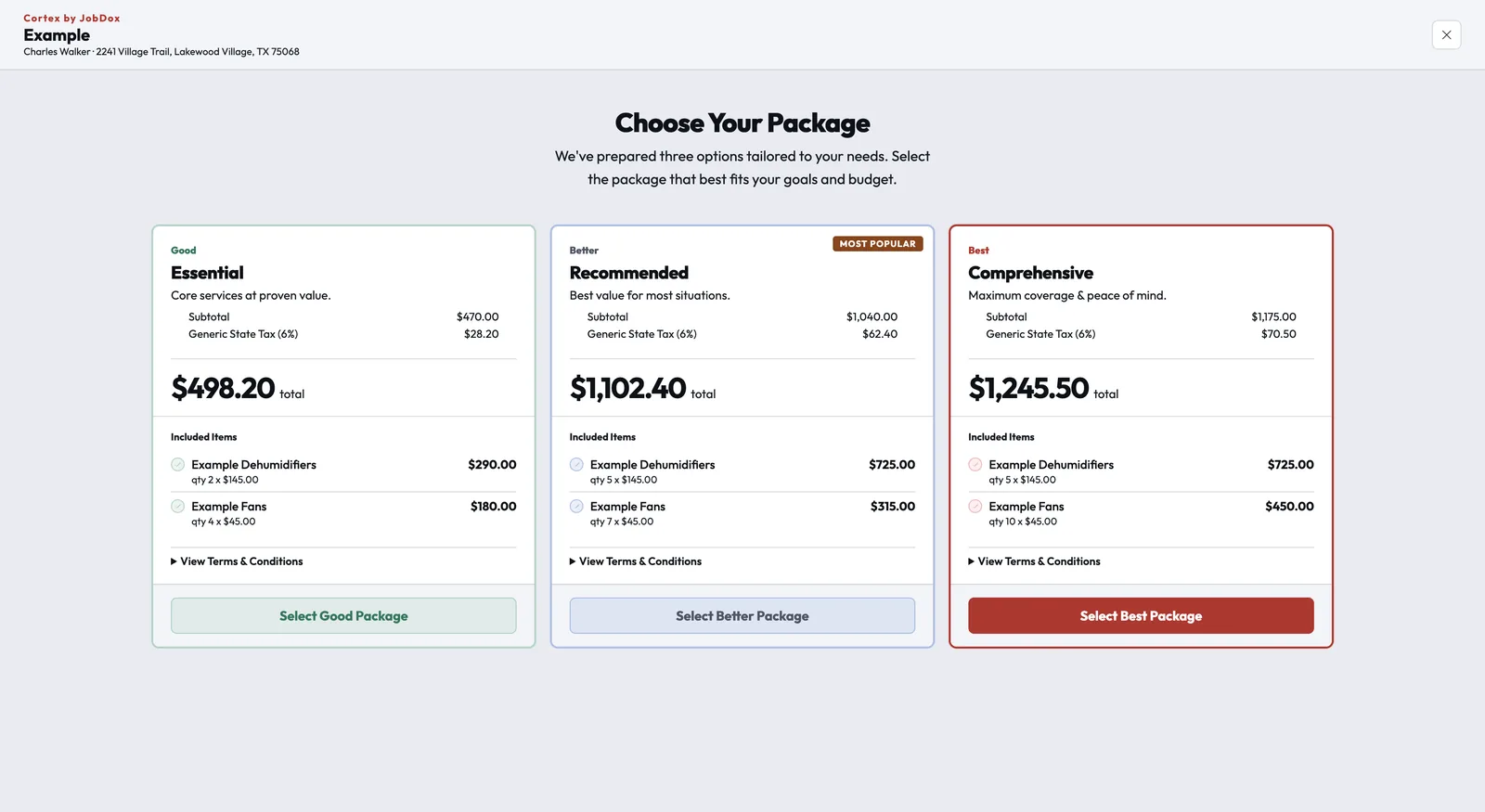
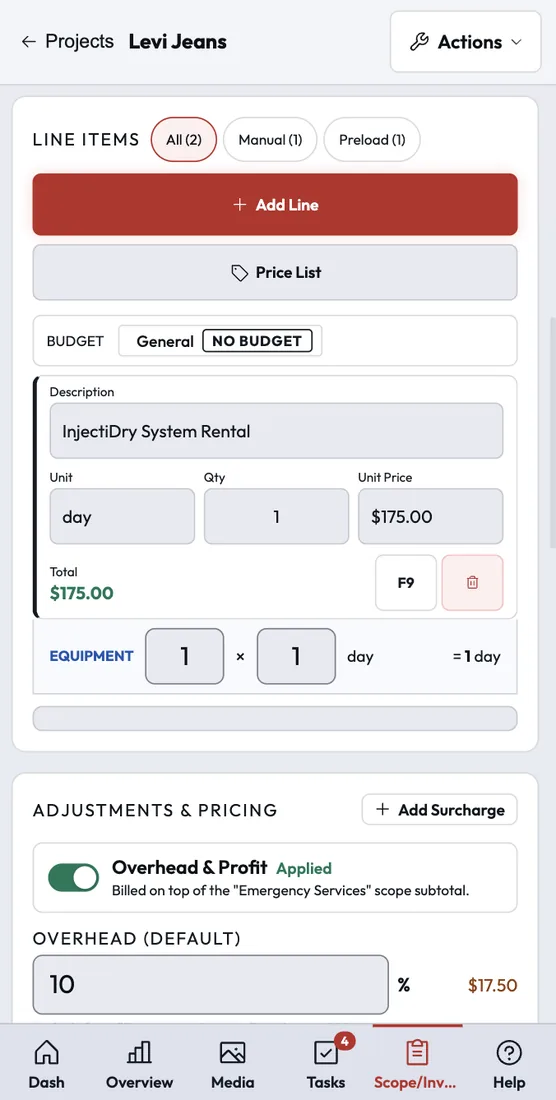
Cortex runs HVAC service and replacement calls from online booking and dispatch to options presented at the kitchen table, the signature and the card payment. Techs see their day on their phone, and the office sees every crew's day on one board.

An HVAC technician checking pressures with a gauge set at an outdoor condenser unit.
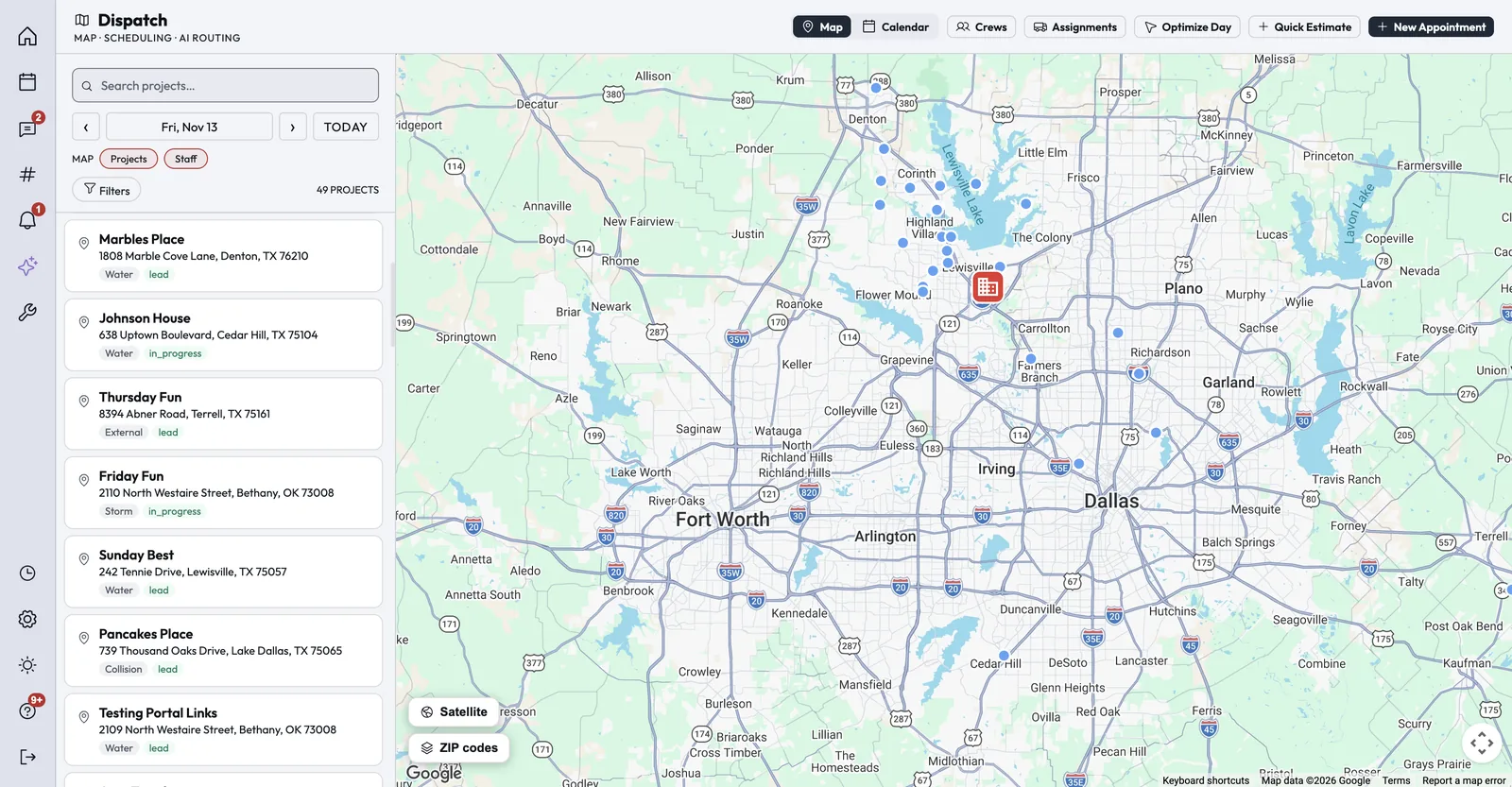
The Dispatch map with the day's projects pinned across a metro area and a list of jobs with their addresses and statuses beside it.
How it works

Every stage of an HVAC call, on one record.

Booking, the visit, the options, the invoice and the follow-up all live on the same job, so the office never has to chase the tech for details.

Step 1 of 6

Booking

Homeowners book an arrival window from the widget on your website, which creates the lead and the appointment and sends confirmations. Calls to your Cortex number route by business hours and ring groups.

  • Booking calendars per office with arrival windows and capacity
  • Contact form submissions become leads with their tasks in place
  • Call recording, plus transcription when you turn it on

Tools: Online self-scheduler, Website widget, Phone system

Booking screenshot
Customer photo
"The JobDox Team allows me to keep my customers informed daily. It also allows me to track budgets, daily updates, photos, daily tasks, and employee time — all from one portal."
Stephen K.
Operations Manager

Read All Reviews on Capterra

Beyond the daily work

What else matters in HVAC.

The people around the job matter as much as the job itself. These are the two that come up most in HVAC.

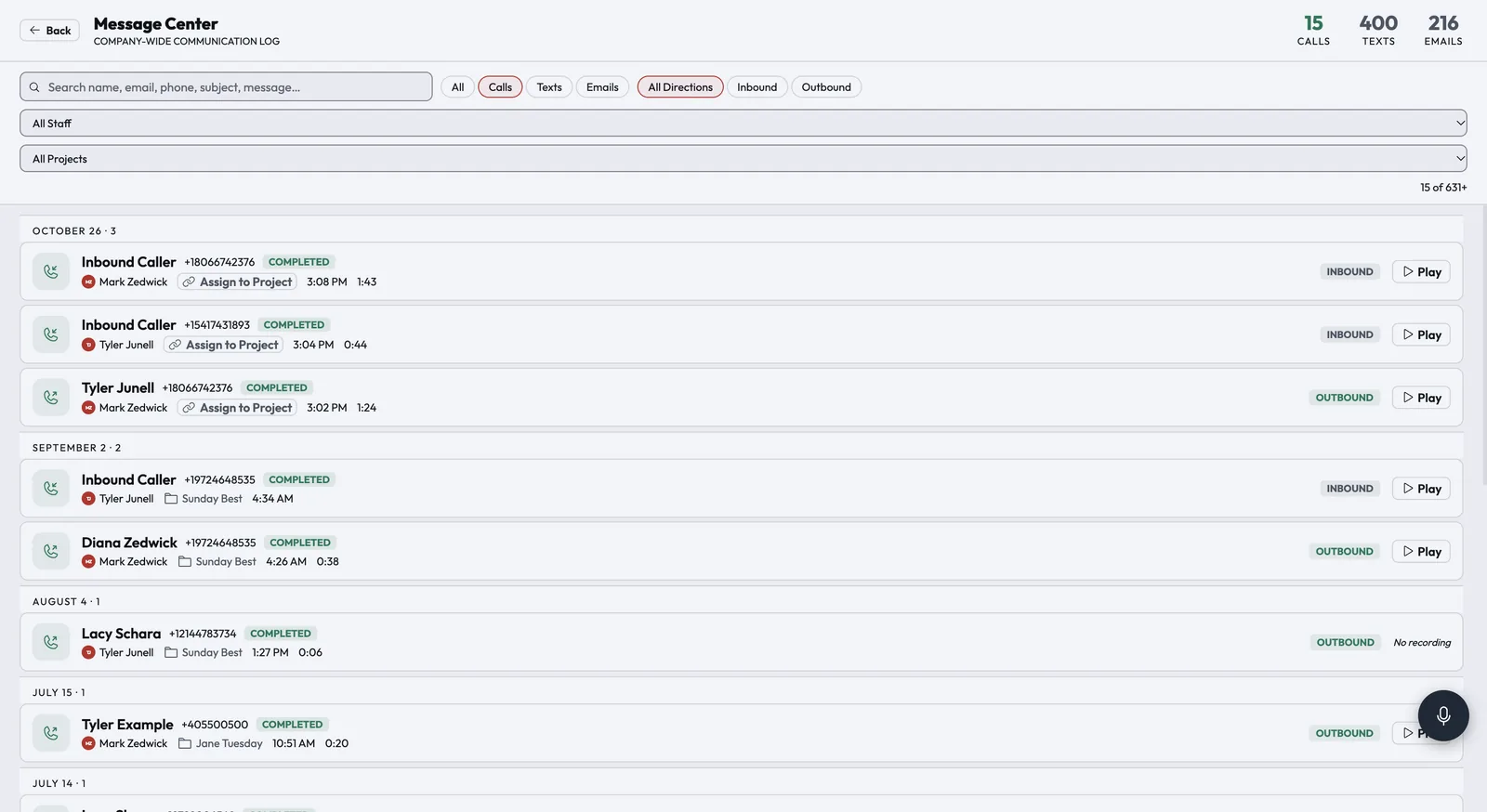
The Message Center call log: recent inbound and outbound calls with caller, staff member, time, duration, status and a Play button for each recording.
Your phones

Every call answered, routed and remembered.

Buy numbers or port yours in, then route calls with ring groups, business-hours rules, press-1 menus, voicemail and do-not-disturb. Click-to-call rings the staff member's own cell phone, and every call, text and email lands in one searchable inbox.

Turn on call scoring and recorded calls are transcribed and graded against your scorecard, and promises made on the call become tasks and appointments.
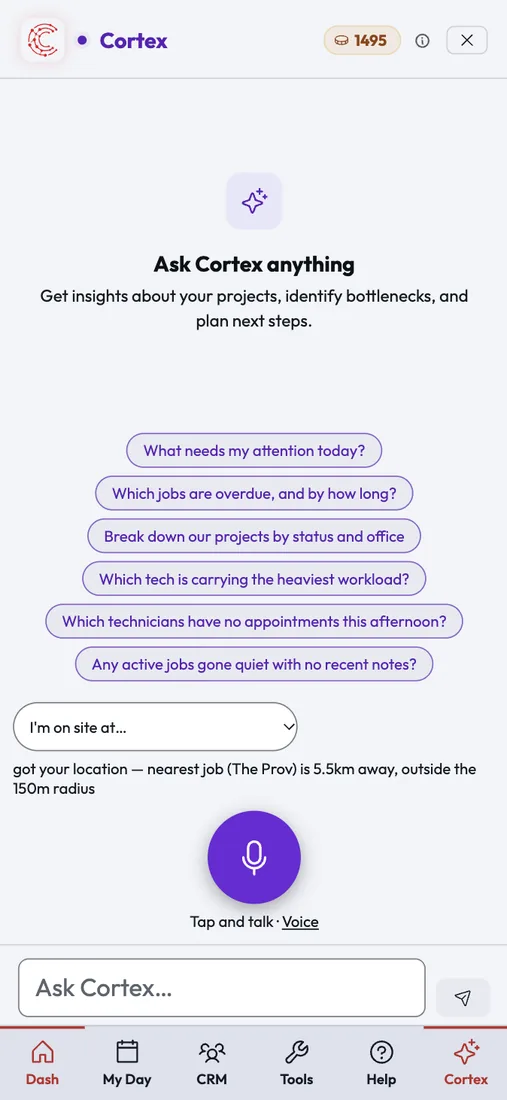
Cortex Copilot on a phone, offering suggested questions such as which jobs need attention and which jobs have gone quiet, with a voice button.
Running the office

Answers without digging through screens.

Ask Cortex Copilot about your jobs, techs and money in plain English; when it suggests an action like adding a note or creating a task, a person confirms it first. Pulse writes managers a short summary of what the team did today or this week.

Cortex Vantage gives owners revenue, profit, collections and goals on one screen.

Integrations

Connects to the tools HVAC teams use.

These connections are live today. Anything else can connect through Zapier or the Cortex API.

QuickBooks OnlinePer-office sync of customers, invoices, payments, bills and time
QuickBooks PaymentsCard processing through your own QuickBooks account
Authorize.netCard payments, pay-by-link and refunds
Acorn FinanceAn Apply for Financing link on estimates and the pay page
RoutificRoute ordering for Optimize Day in Dispatch
Google and Outlook calendarsTwo-way sync of each person's appointments
Zapier and the Cortex APIA REST API and signed webhooks to connect other apps
FAQ

Questions HVAC teams ask.

Something else on your mind? Contact Us

Run your next HVAC job on Cortex.

Try Cortex free for 14 days with no card, or talk with us about how your jobs run today.